
TikTok MP3 for free Download
Download and convert TikTok videos/audio/songs to MP3 format Free.Paste a TT,Douyin,Xiaohongshu URL
TikTok MP3 (Audio) Downloader – SnapsGrab
SnapsGrab is the best solution to download TikTok MP3 with the best quality. You don’t need to pay anything, and this tool is very easy to use whether for video or audio downloads. It also supports downloading other TikTok content formats, such as stories and slideshows.
Why Download TikTok MP3 Ves?
TikTok MP3 is simply the audio version of TikTok video content. With MP3, you only save the sound without visuals, making the file lighter, faster to download, and easier to store. There are many reasons why people download TikTok audio for creative use, personal sound collections, or offline playback.
Here are the main reasons why saving TikTok audio is so popular:
1. Access Without Internet
By downloading TikTok audio, you don’t need to reopen TikTok to listen to it. Once it’s saved, you can play the file directly from your device’s music or file player even without an internet connection.This is especially useful if you’re in areas with weak networks or want to listen repeatedly without consuming data.
2. No Extra Apps Needed
Every device already comes with its own music or audio player. With SnapsGrab, you don’t need third-party apps to enjoy TikTok sounds. Simply locate your download folder, and your MP3 will be ready to play instantly.
3. Save Storage Space
Videos take up much more memory compared to audio files. If you only want the sound, downloading TikTok MP3 is the better choice.Using SnapsGrab, TikTok videos are converted online into audio files, which saves space while letting you collect your favorite songs or sound effects from TikTok.
4. Collecting Sounds from TikTok
TikTok is full of creative, unique sounds. Many users like to collect them for ringtones, alarms, or personal soundboards. With SnapsGrab, you can easily save MP3 files and organize them in folders for quick access anytime.
5. Creative Content Resources
TikTok audio clips are excellent resources for making your own videos. With SnapsGrab, you don’t need to record audio separately just download your favorite TikTok MP3 and use it in your projects.
Can TikTok Download Audio/MP3 Directly?
TikTok’s official app only allows video and image downloads. If you want just the audio, you can’t get it directly from the platform. Plus, official TikTok downloads still include a watermark.
This is why many users turn to third-party tools like SnapsGrab to convert TikTok videos into MP3 audio files. These tools also remove the watermark. However, remember that copyright rules still apply, so it’s best to use downloaded content responsibly.
What is SnapsGrab? Can It Download TikTok MP3?
SnapsGrab is an online downloader for TikTok that supports multiple content types, including audio, videos, stories, and slideshows.
The platform is designed for speed, convenience, and security. Since it’s entirely web-based, you only need an internet connection — no installation or technical skills required. Just paste your TikTok link, and SnapsGrab will convert it into MP3 instantly.
Main Features of SnapsGrab as a TikTok MP3 Downloader
Here’s why SnapsGrab stands out as one of the best tools to download TikTok MP3:
1. MP3 Conversion
SnapsGrab includes a reliable conversion feature that extracts audio from TikTok videos. When you visit the site, you’ll find four download options: Video, MP3, Slideshow, and Story. Simply choose MP3, paste your TikTok link, and the system will handle the conversion.
2. Premium Quality Downloads
Even after conversion, SnapsGrab delivers MP3 files in the best available quality. The audio remains clear and close to the original.Just note that if the TikTok video has poor-quality sound, the MP3 won’t improve it. Still, most official music uploads or popular TikTok sounds are already high quality, making them perfect for downloading.
3. Free to Use
With SnapsGrab, you’ll never need to pay to download TikTok MP3. It’s a 100% free online tool with no subscriptions, hidden charges, or limitations. Unlike music streaming services, it’s strictly for downloading content to your device.
4. No App Installation
Everything runs on the web, so you don’t need to install software or apps. Simply open the SnapsGrab website, paste your link, and click download.
5. Unlimited Downloads
SnapsGrab places no limits on the number of files you can save. Whether you’re downloading one TikTok sound or building a huge MP3 library, the tool works without restrictions.
6. No User Data Required
Your privacy is secure with SnapsGrab. You don’t need to enter personal information like your email, phone number, or credit card details. Downloads are anonymous and safe.
Step-By-Step Guide: How to Download TikTok MP3 with SnapsGrab
Using SnapsGrab is simple and beginner-friendly. Here’s how it works:
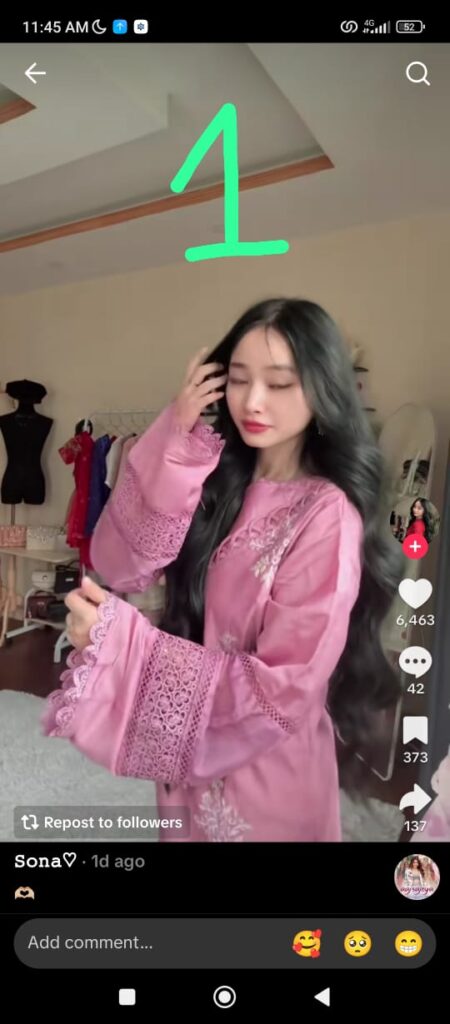
Find TikTok Content with Audio
Bookmark or search for the TikTok video you want. Remember, you can only download non-private content.Copy the Link
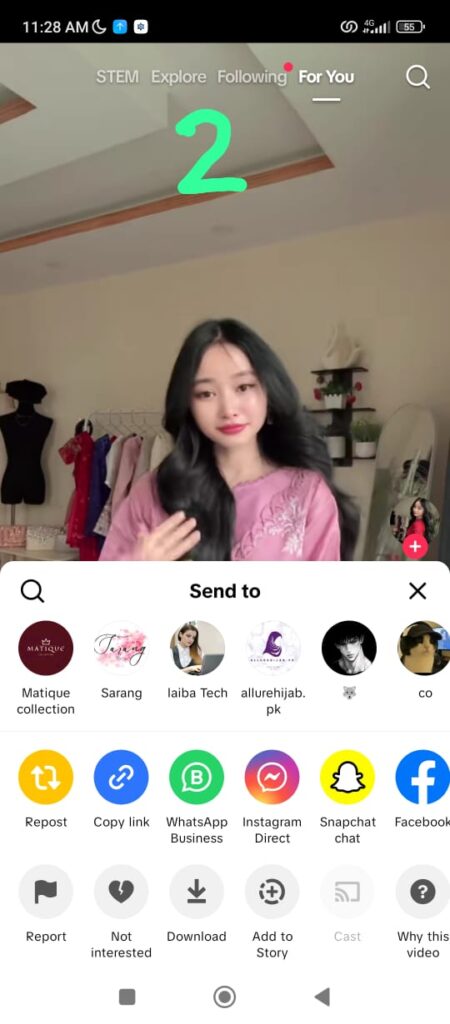
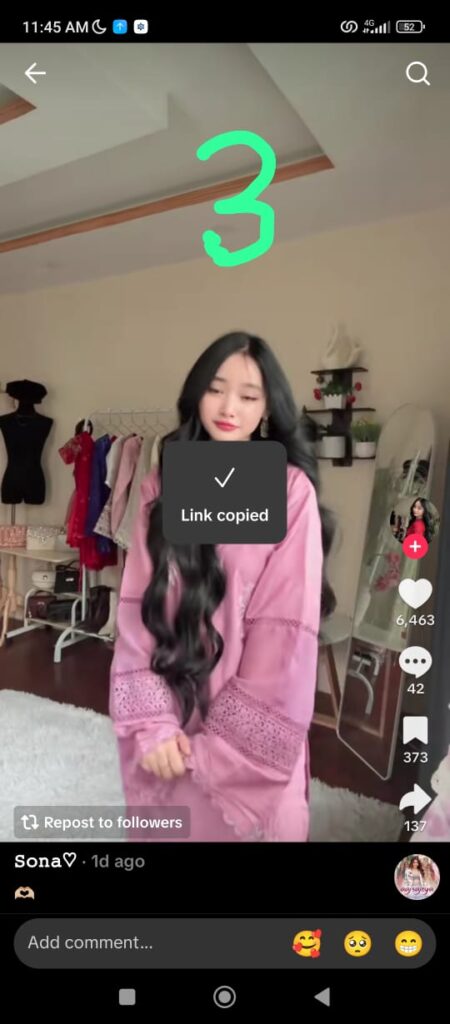
Tap the Share icon on the TikTok video, then select Copy Link.Visit the SnapsGrab Website
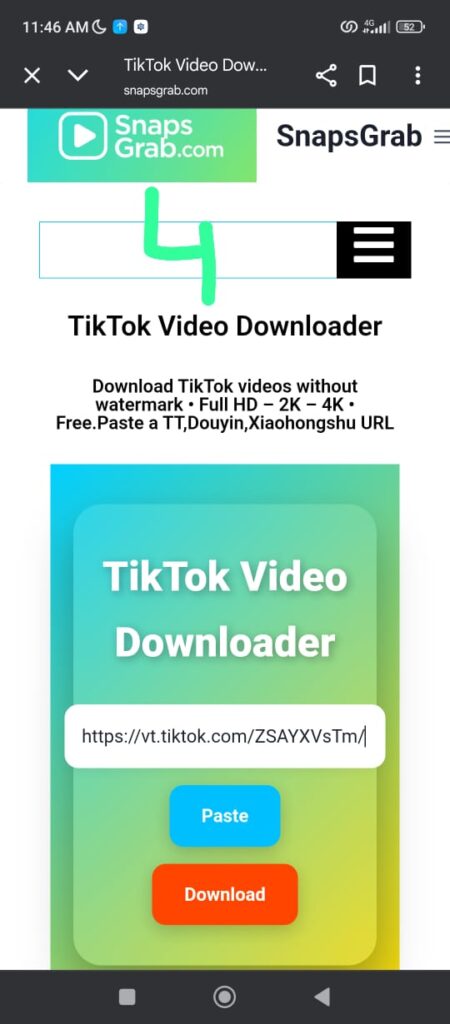
Go to the official site: https://snapsgrab.com (always ensure it’s the correct website).Paste the Link
Paste the copied TikTok link into the input box on the homepage.Tap the Download Button Twice
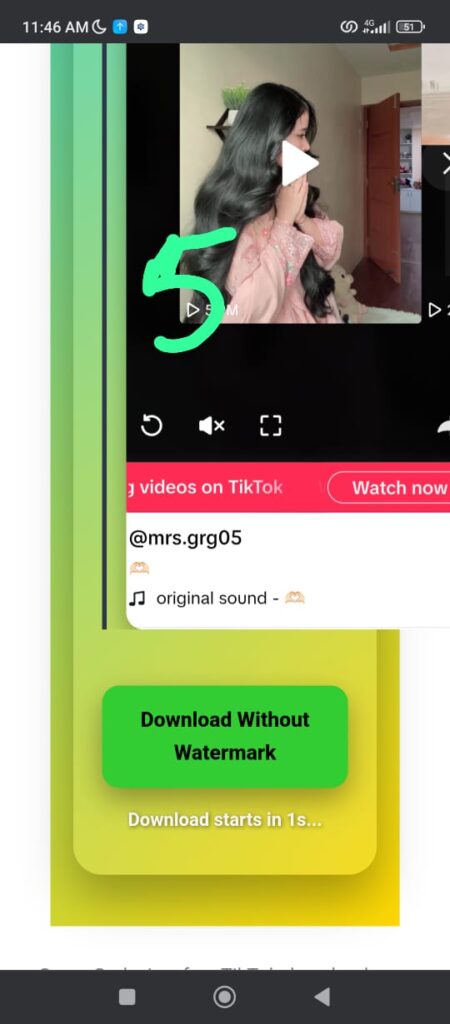
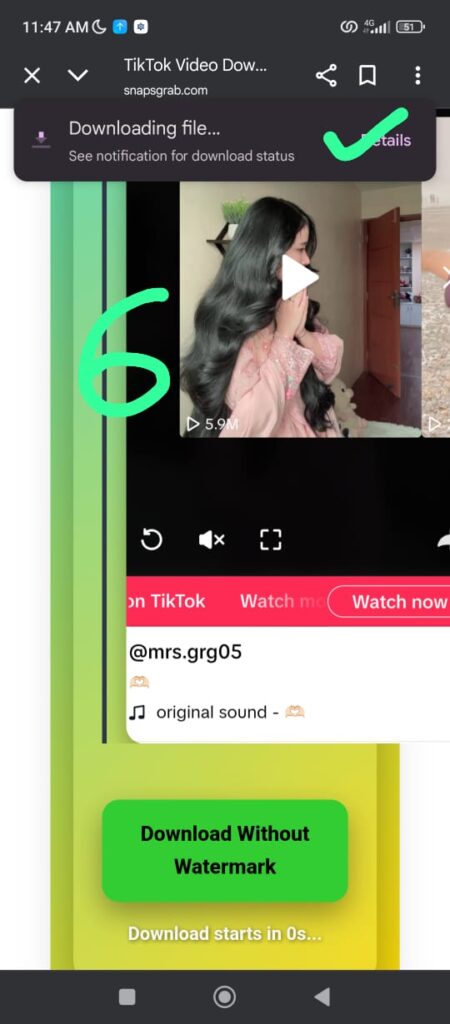
First, click Download after pasting the link. Then confirm again on the next page, making sure to select the MP3 option.Save Your MP3 File
The system will process and deliver your audio file. Download it to your device, and it’s ready to play offline.
Common Issues and Fixes
While SnapsGrab is reliable, here are some possible issues you might encounter and their solutions:
Low-Quality Audio
If the original TikTok video has poor audio, the downloaded MP3 will also be low quality. Choose videos with clear sound for best results.Can’t Download MP3
If you get an error, double-check the TikTok link. Deleted videos or content without sound cannot be converted.Slow Downloads
This may happen if servers are busy or your internet connection is weak. Try again later, or ensure your connection is stable.
Despite occasional issues, SnapsGrab remains one of the most effective, secure, and simple ways to download TikTok MP3 files.
Frequently Asked Questions
Is downloading TikTok MP3 audio a copyright violation?
Downloading content from TikTok for commercial purposes or redistribution may violate copyright laws. Therefore, only download content that you own or have obtained permission to download from the content creator.
Can I download MP3 from TikTok in private mode?
You cannot download MP3 audio from TikTok videos set to private mode.
Can I convert TikTok to MP3 on an iPhone?
Yes, absolutely! SnapsGrab supports various devices, including iPhones.
Do I need to pay to download MP3s from TikTok?
Our website provides free and unlimited services.
Where are downloaded MP3 files saved?
- On PC: In the “Downloads” folder.
- On Android: In the “Downloads” folder or within the “Library” app.
- On iPhone: In the “Files” app.
Why can’t I download MP3 audio from TikTok?
Possible reasons include:
- Invalid video link
- Video has been deleted or set to private
- Error on the website/app’s side